In this User Guide, you will be able to learn:
1. How to update the email address to receive the emplX latest changes email notification.
a. Go to Company Setup -> Company Profile.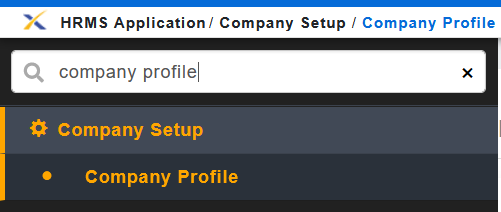
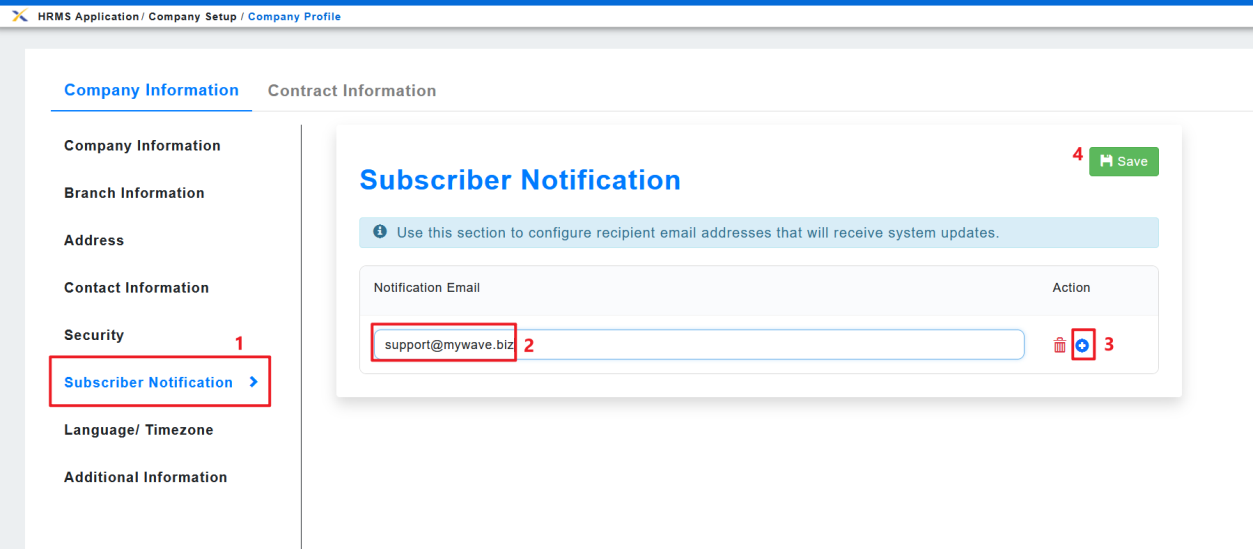
b. Click on the [Subscriber Notification].
c. You may update the existing email address (2) if there is not applicable to receive the email
notification.
d. You may click on the icon (3) to add another email address to receive the email.
e. Once done, click on the Save (4) button.